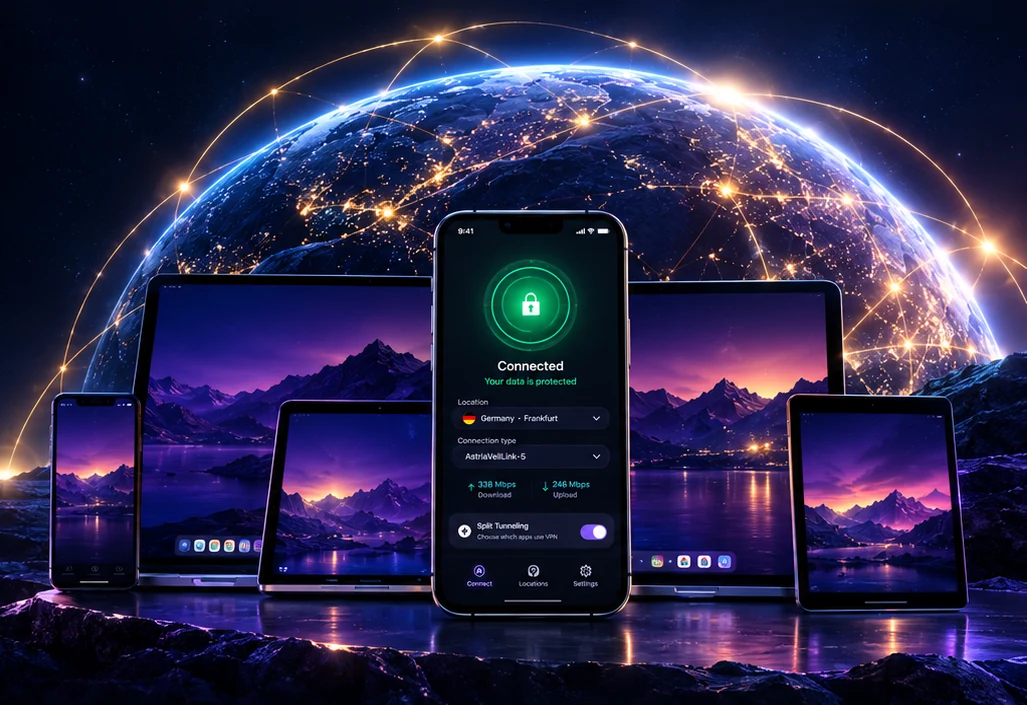
All your devices
under reliable protection
Windows, macOS and Android; iPhone and iPad in TestFlight beta. Five AstriaVeilLink connection modes.
Pricing
One plan. Pick your device count.
Every plan includes the same app — full server access, every AstriaVeilLink mode, AstriaVeilNetGuard. The only difference is how many devices you connect at once.
A test period is under way, so prices have not been announced yet — they will appear on the site before the paid period begins. When it does, you will pay manually for a 30-day period, with no auto-renewal and no automatic charges. A subscription includes the Windows, macOS and Android apps, updates, support and access to the infrastructure they need. The iOS app is a free TestFlight beta for current users and is not part of any plan, so a subscription does not include iOS app support.
- All server locations
- All AstriaVeilLink modes
- 1 device at a time
- AstriaVeilNetGuard + ad-blocking
- All server locations
- All AstriaVeilLink modes
- 3 devices at a time
- AstriaVeilNetGuard + ad-blocking
- All server locations
- All AstriaVeilLink modes
- 5 devices at a time
- AstriaVeilNetGuard + ad-blocking
Why monthly only?
One month at a time — never commit to a year you might not use. There is no auto-renewal: you pay for 30 days and decide for yourself whether to continue. When the period ends, access is suspended, and you can renew it from your dashboard at any time.
Getting started
Getting started is simple
Create an account
Email address only. No phone number, no real name, no government ID. We don’t want your personal data.
Start with a free trial
24 hours, one device, no bank card. Then choose a plan for 1, 3 or 5 devices — you pay for 30 days at a time, with no automatic charges.
Install the app
Apps for Windows, macOS and Android; iPhone and iPad are in TestFlight beta for current users. All of your device’s traffic is encrypted — not just the browser.
Connect
One tap. Your traffic is encrypted, your DNS queries are private, your real IP is hidden. Done.
Own protocol
Five ways to connect — built by us, end to end
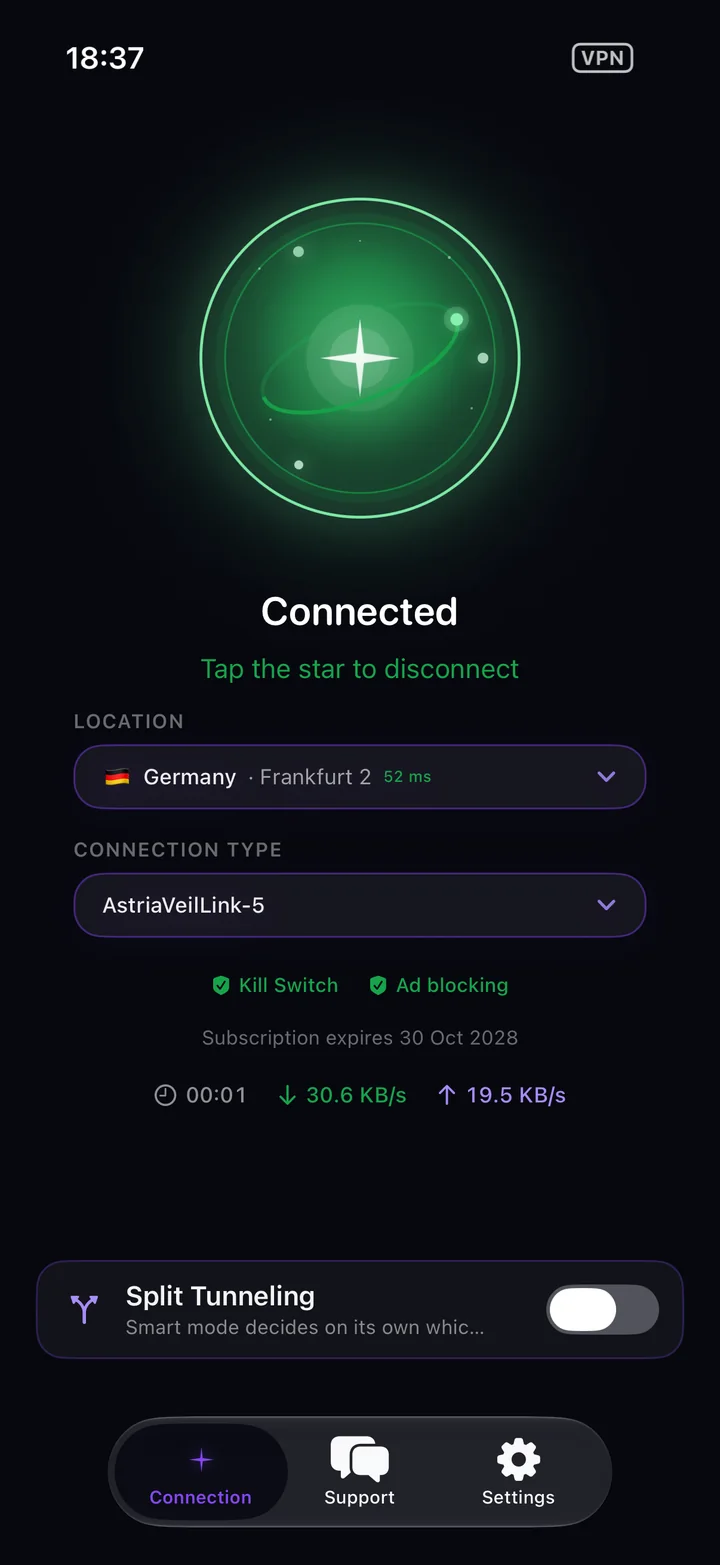
AstriaVeilLink is a protocol we designed and built ourselves. Start with AstriaVeilLink-5, the fastest mode, and step down only when a network calls for it: each step trades a little speed for more privacy.
AstriaVeilLink-5
Start here. A direct encrypted connection with no extra wrapping — our fastest, most stable mode, and the one we recommend by default for most networks. If it ever struggles, step down to -4, then -3, -2, -1.
Why Astria
A star that guides — but can’t be seen
Astria (Atria) — α Trianguli Australis — is the brightest star in the Southern Triangle constellation. Sailors of the southern seas navigated by its light, yet from the northern hemisphere it remains invisible. A star that guides — but cannot be observed from an outside vantage point. We named our VPN after it: your data flows, your path is protected — but to any outside observer, you don’t exist.
Privacy by default
All you need to use the app is your email. We collect as little data as possible, so privacy protection is real, not just words.
Reliable encryption
All your traffic is encrypted. Your provider and network owners see only an encrypted stream, not what you use.
Our own infrastructure
We run our own DNS resolvers and our own server monitoring. Your DNS queries are not handed to third-party services.
FAQ
Common questions
Our own AstriaVeilLink protocol with five connection modes, DNS protection, and apps for Windows, macOS and Android (iOS is in beta testing). We focus on protecting your data and keeping things simple.
Only your account email and a payment token. We don’t record which sites and services you open. To run and protect the app and servers we keep limited technical logs (connection events, security) — details are in our privacy policy.
AstriaVeilLink is a connection protocol we designed and built ourselves for Astria VPN. It works in five modes: start with AstriaVeilLink-5 — the fastest and our default recommendation — and move down to AstriaVeilLink-1 only if your network needs extra reliability. Astria VPN is built to protect your data.
Apps are available for Windows, macOS (Apple Silicon and Intel), and Android. The iPhone and iPad app is in beta testing through Apple TestFlight: it is offered free of charge to people who already use Astria VPN, so we can hear your feedback. It is not on sale yet and is not included in any plan — buying a subscription does not include iOS app support. Every app encrypts all traffic at the system level — every app on your device, not just the browser.
A test period is under way and pricing is coming soon: we will publish the cost of the plans on the site before the paid period begins. After that you pay through Paddle (card, PayPal, Apple Pay, Google Pay) for a 30-day period, manually: there is no automatic renewal, and when the period ends access is suspended and you can renew it from your dashboard. A free 24-hour trial for one device is available now: open our bot @AstriaVPN_bot in Telegram, subscribe to the channel — and the trial account is issued in the Mini App.
A broad network of servers around the world. We configure and operate every server ourselves, and none of them records which sites you visit. The network is constantly evolving and growing, so we don’t list specific locations — the current list is always shown in the app.
Yes. All DNS queries are resolved through our own recursive servers — not Google, not Cloudflare, not your ISP. Additionally, 90,000+ ad and tracker domains are blocked at the DNS level before they reach your device.
No. The subscription does not renew automatically: you pay for a 30-day period yourself. When the period ends, access is suspended, and you can renew it from your dashboard at any time.
The app uses the email and password of your Astria VPN personal account. To recover the password, open billing.astriavpn.com, choose “Forgot password?”, enter your email and follow the link in the email we send you. The app itself has no password reset. If the email does not arrive, check your Spam folder, then write to support@astriavpn.com or use the support chat.
Protect all your devices
A free 24-hour trial: a real account for one device, no bank card.
Try free →